
DeepChat - 全功能AI Agent客户端
DeepChat 教程 — 将全功能AI Agent客户端对接 New API,并通过 DeepLink 一键导入 DeepChat 配置。
聊天设置选项
在 New API 控制台的系统设置->聊天设置中,可添加如下快捷选项,便于在令牌管理页一键填充到 DeepChat:
{ "DeepChat": "deepchat://provider/install?v=1&data={deepchatConfig}" }DeepChat 是一款开源、跨平台的商业化友好全功能AI Agent客户端,支持云端与本地模型、MCP 工具调用、Skills、ACP、Agent 集成和远程控制等工作流,适合需要统一管理多个 Provider 与高级 AI Agent的用户。
- 官网地址:https://deepchat.thinkinai.xyz
- GitHub 仓库:https://github.com/ThinkInAIXYZ/deepchat
- 下载地址:https://deepchat.thinkinai.xyz/#/download
NewAPI 接入方法
方式一:一键导入
-
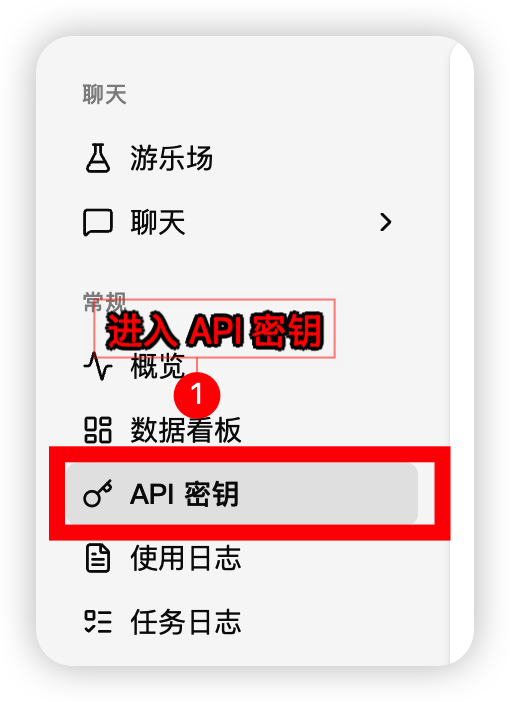
在 New API 控制台侧边栏进入「令牌管理」,找到需要使用的令牌
-
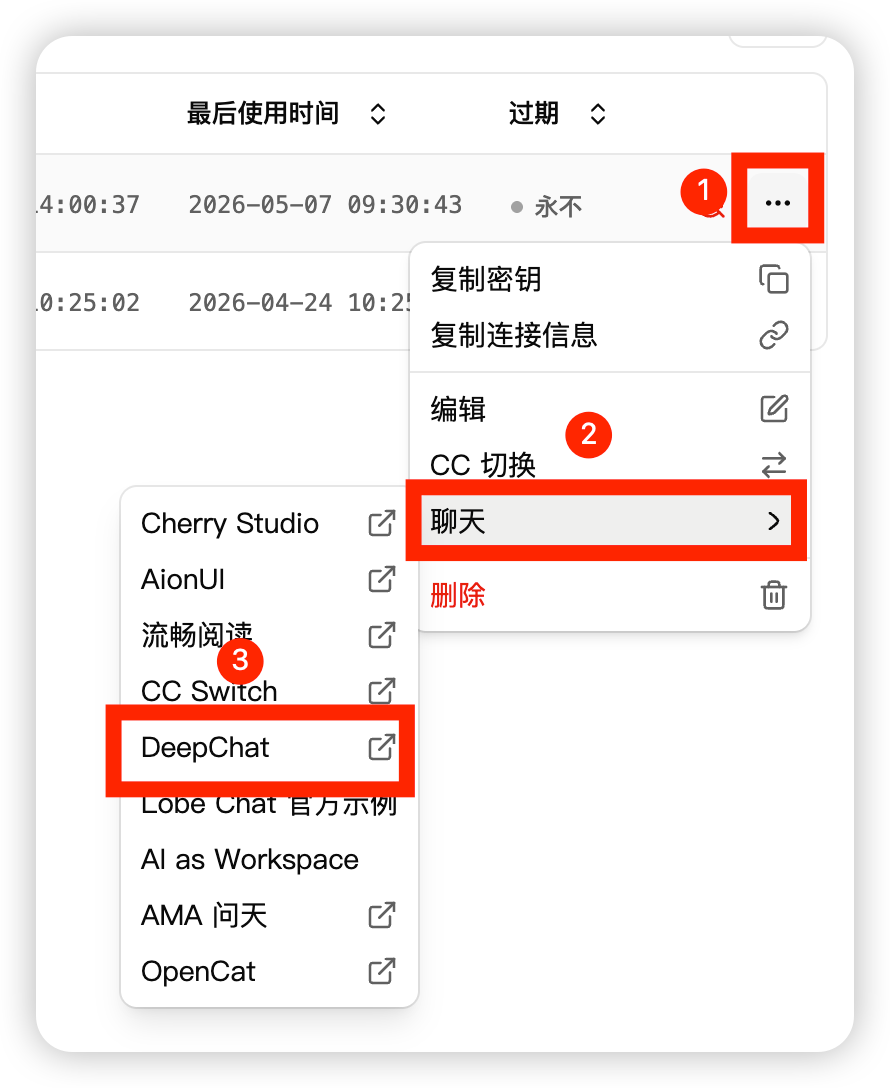
在令牌操作中选择 DeepChat
-
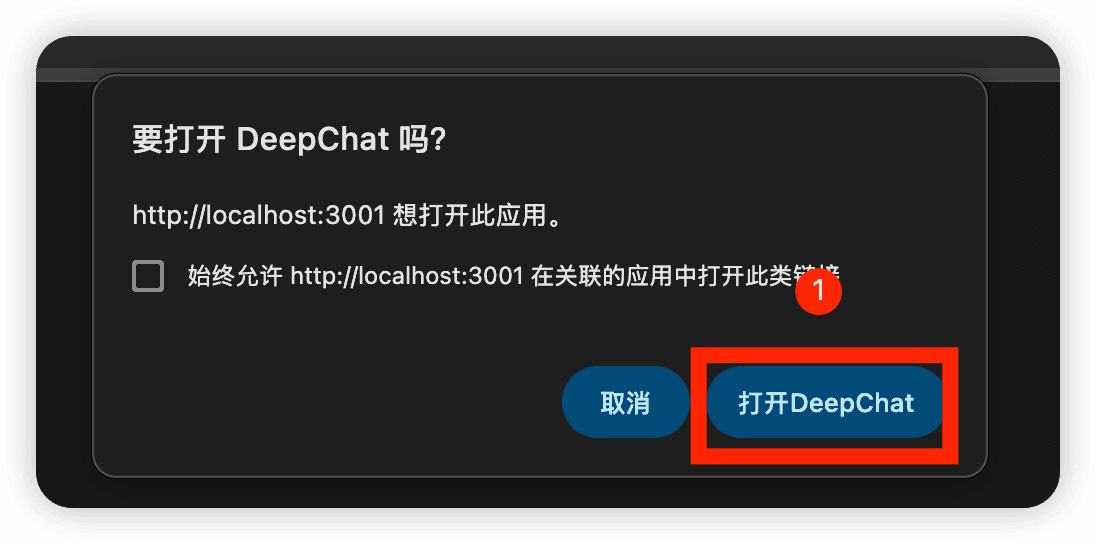
浏览器唤起 DeepChat,确认打开应用
-
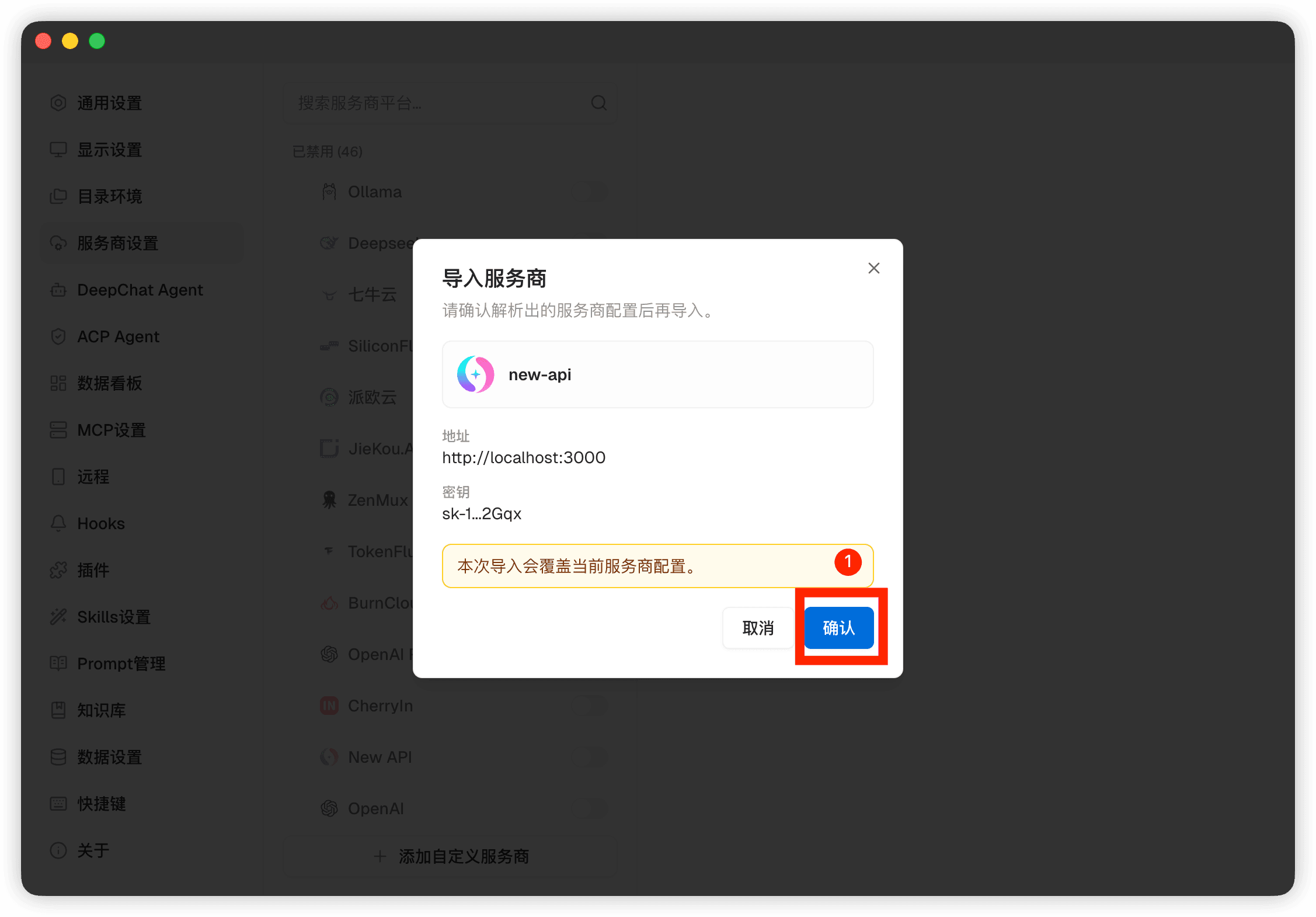
在 DeepChat 的 Provider 导入预览中确认配置
-
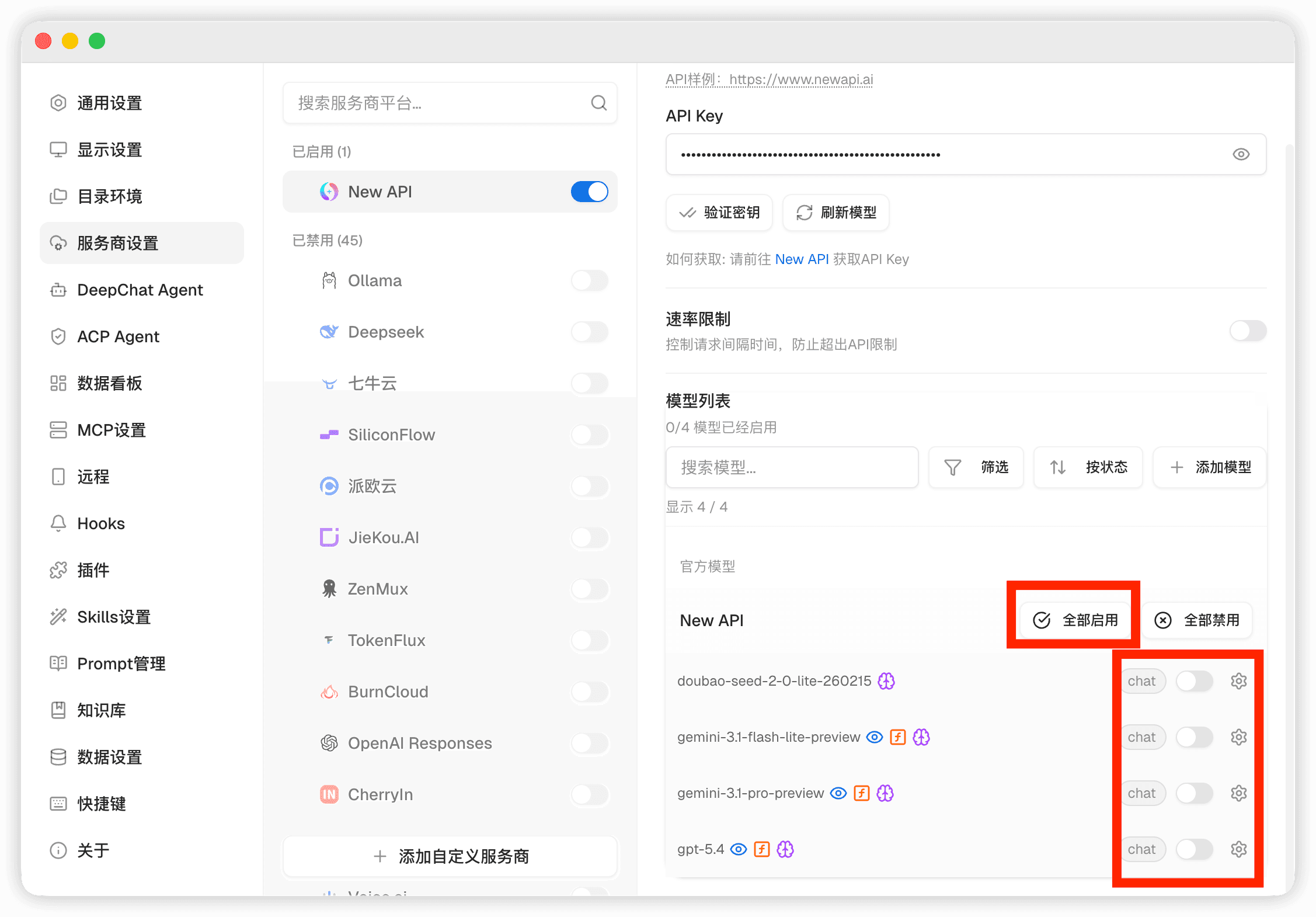
打开模型列表,选择 New API 模型开始使用
方式二:手动导入
-
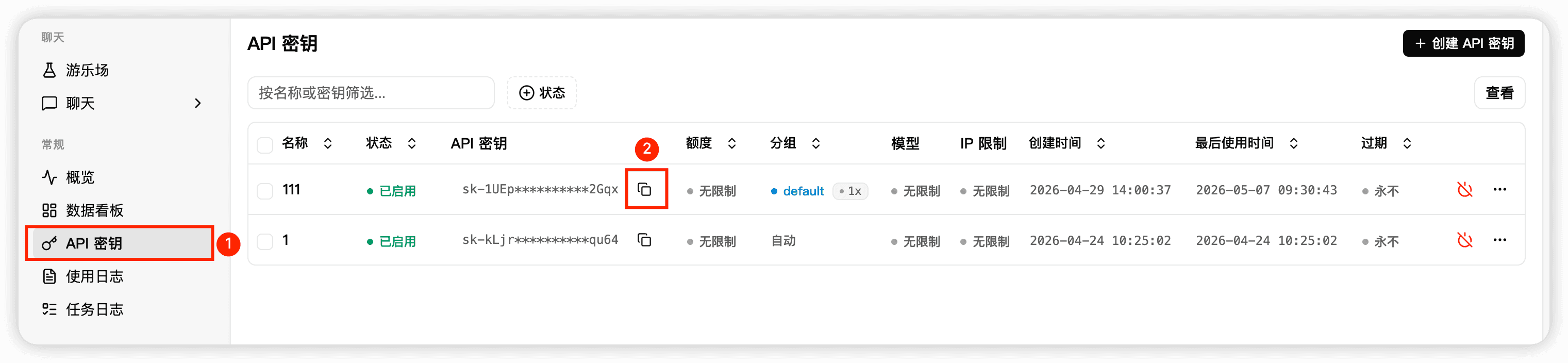
在 New API 控制台复制 API Key 和站点地址
-
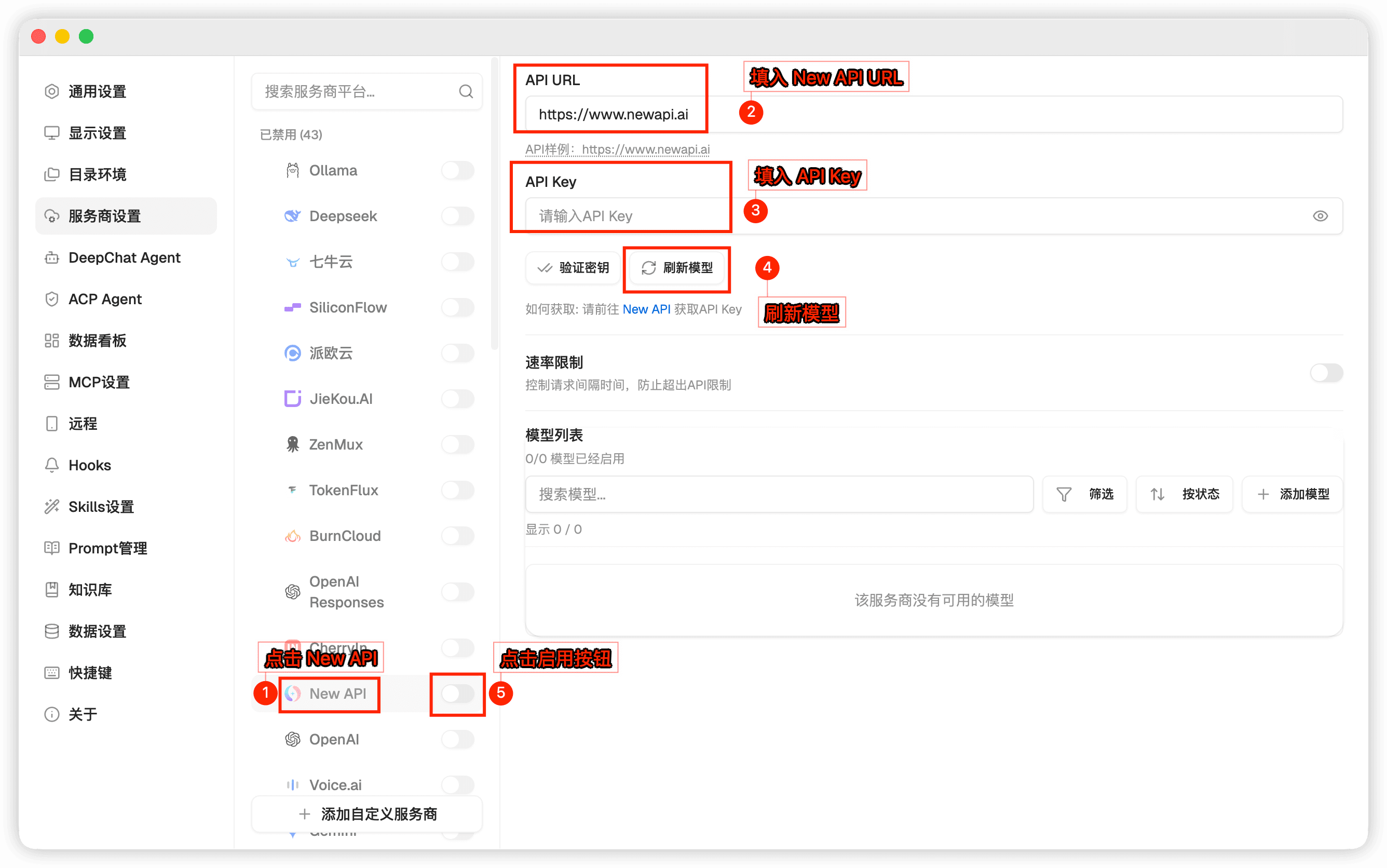
在 DeepChat 设置中添加或编辑 New API Provider,填写 API 地址和 API Key
-
打开模型列表,选择 New API 模型开始使用
相关链接
这篇文档对您有帮助吗?
最后更新于